Start with a trigger
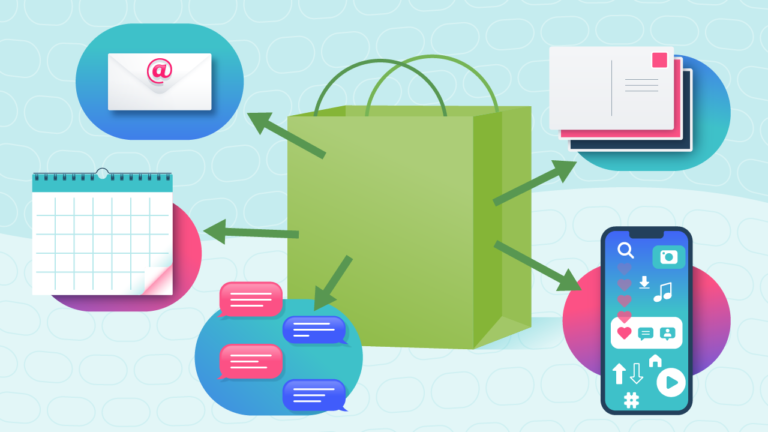
Select a trigger that sets your workflow in motion.
This could be anything from a new order in your Shopify store to a customer signing up for your newsletter.
Triggers are the starting points that tell MESA when to act.


MESA is the most flexible way automate Thanks.io to LoyaltyLion. Easily add workflows to simplify your work.
MESA helps you make workflows that keeps your business running. A trigger is the event to start a workflow then, actions are performed.
Starts when a customer account is updated with new information.
Starts when a customer unsubscribes from an email list.
Increase the amount of points for an existing customer account.
Start a new activity for existing customer accounts.
Start a new order when a purchase is made.
Obtain a list of activities from existing customer accounts.
Obtain a list of existing customer accounts.
Obtain a list of orders from existing customer accounts.
Decrease the amount of points for an existing customer account.
Update an activity for existing customer accounts.
Update an order's details for existing customer accounts.
Message
Handwriting Style
Type
Mailing List
Name
Address
Address 2
City
Province
Postal Code
Country
Dob
Custom1
Custom2
Remove a recipient.
Obtain a list of image builder.
Handwriting Style ID
Name
ID
User ID
Sub Account ID
Type
Name
Image
Canva ID
Default
Created At
Updated At
ID
Lob ID
Title
Front Image URL
Front Thumbnail URL
Back Image URL
Back Thumbnail URL
Available
Default
Created At
Updated At
ID
User ID
Sub Account ID
Type
Description
File
Field Map
Shape Data
Total Recipients
Processed
Created At
Updated At
Leads Data
Deleted At
ID
User ID
Sub Account ID
Handwriting Style ID
Name
Content
Default
Created At
Updated At
Type
Delivered
Processing
Printed
In Transit
In Local Area
Processed For Delivery
Re Routed
Returned To Sender
Failed
Total Cost
Total Requests
Total Sent
ID
Lob ID
Title
Front Image URL
Front Thumbnail URL
Back Image URL
Back Thumbnail URL
Available
Default
Created At
Updated At
Current Page
Data
First Page URL
From
Last Page
Last Page URL
Next Page URL
Path
Per Page
Prev Page URL
To
Total
Order
Stats
Errors
Returned
ID
Mailing List ID
Session ID
Name
Address
Address 2
City
Province
Postal Code
Country
Dob
Custom1
Custom2
Deliverability
Can Deliver
Created At
Updated At
Mailing List
Center
Distance
Address Count
Cost
Type
Message
Email Cc
Method
Style
Front Image
Transaction ID
Total Estimated Recipients
Authorization Total
Leads Fee
Envelope ID
Sub Account ID
Return Name
Return Address
Return Address 2
Return City
Return Province
Return Postal Code
Allow Share
Session ID
User ID
Updated At
Created At
ID
Display Status
Display Trigger
Handwriting Image
Share URL
Type
Message
Email Cc
Method
Style
Front Image
Transaction ID
Total Estimated Recipients
Authorization Total
Leads Fee
Size
Sub Account ID
Return Name
Return Address
Return Address 2
Return City
Return Province
Return Postal Code
User ID
Updated At
Created At
ID
Display Status
Display Trigger
Handwriting Image
Name
Address
Address 2
City
Province
Postal Code
Country
Dob
Custom1
Custom2
Thousands of professionals trust MESA to help them multiply their impact without multiplying their work.






Thanks.io to LoyaltyLion automations get more done in less time. Automate the everyday tasks holding back your potential growth.
Delight your customers with personalized thank you postcards after a purchase. It adds a personal touch and encourages repeat business. Just set it and forget it; Thanks IO takes care of the rest.
Show your customers you care by sending tailored greeting cards on their birthdays or anniversaries. It's more than just a sale; it's about building lasting relationships.
Use mailings to send exclusive offers, discounts, or launch new products. It's a tangible way to put your latest promotions right in your customers' hands.
Stand out from the digital crowd by sending physical holiday greetings or seasonal postcards. It’s an unexpected way to capture attention and remind customers to shop with you.
Encourage happy customers to leave a review or feedback through a mailed request. It's a personal touch that can boost your store’s reputation and credibility.
Tailor your reward system to fit your unique brand and audience. With LoyaltyLion, you can create a loyalty program that offers points for purchases, referrals, reviews, and more. Encourage repeat business and turn your customers into loyal brand advocates.
Engage your customers through personalized, gamified experiences. LoyaltyLion enables you to run targeted campaigns, offer birthday rewards, and create exclusive VIP tiers. By making shopping fun and rewarding, you'll drive customer satisfaction and loyalty.
LoyaltyLion integrates seamlessly with your existing marketing channels like email and social media. You can send personalized offers, notify customers of point balances, and promote exclusive deals directly through your favorite marketing platforms, enhancing your promotional efforts.
Make informed decisions by accessing valuable customer insights. Track the performance of your loyalty program, understand customer behavior, and use this data to optimize your marketing strategies. You'll be able to target your customers with precision and increase conversion rates.
Leverage your satisfied customers to attract new ones. LoyaltyLion’s referral program rewards your existing customers for bringing in new shoppers, thus creating a community of brand ambassadors. This not only amplifies your reach but also acquires customers with a higher lifetime value.

MESA makes automation achievable so you can multiply your impact without multiplying the work.
Try MESA for free 7-day trial included. Cancel anytime.MESA helps you connect two or more apps to handle repetitive tasks automatically, no code necessary.
Select a trigger that sets your workflow in motion.
This could be anything from a new order in your Shopify store to a customer signing up for your newsletter.
Triggers are the starting points that tell MESA when to act.


Next, choose the action that should follow the trigger.
Actions are the tasks that MESA will perform automatically, such as sending a confirmation email or updating your product inventory.
Linking actions to triggers is how you build a seamless workflow process.

Make your workflow even more flexible using built-in apps.
Customize your automation with tools that match your specific needs, whether it's scheduling theme changes or syncing with your CRM.
Personalization ensures your workflows fit your unique business requirements.

Finally, enable your workflow. You've just automated a task that will save you time and reduce manual effort.
With MESA, complex processes become simple, freeing you up to focus on what matters most—growing your business.


Get help from our team of experts and industry partners, who are dedicated to ensuring your MESA experience is smooth, efficient, and tailored to your exact business needs.