Start with a trigger
Select a trigger that sets your workflow in motion.
This could be anything from a new order in your Shopify store to a customer signing up for your newsletter.
Triggers are the starting points that tell MESA when to act.


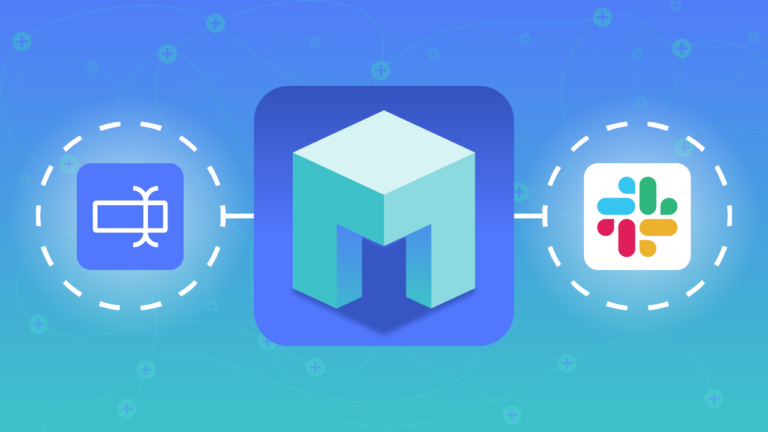
MESA is the most flexible way automate Loop Returns to Google Calendar. Easily add workflows to simplify your work.
MESA helps you make workflows that keeps your business running. A trigger is the event to start a workflow then, actions are performed.
Created
Creator
End
Etag
HTML Link
I Cal U ID
ID
Kind
Organizer
Reminders
Sequence
Start
Status
Summary
Updated
Meet URL
Created
Creator
End
Etag
HTML Link
I Cal U ID
ID
Kind
Organizer
Reminders
Sequence
Start
Status
Summary
Updated
Meet URL
Created
Creator
End
Etag
HTML Link
I Cal U ID
ID
Kind
Organizer
Reminders
Sequence
Start
Status
Summary
Updated
Meet URL
Topic
Trigger
Return ID
Order ID
Provider Order ID
Carrier
Tracking Number
Label Status
Label Updated At
Topic
Trigger
ID
Order ID
Provider Order ID
Restock Items
Topic
Trigger
ID
State
Created At
Order ID
Order Name
Provider Order ID
Order Number
Customer
Currency
Return Product Total
Return Discount Total
Return Tax Total
Return Total
Return Credit Total
Exchange Product Total
Exchange Discount Total
Exchange Tax Total
Exchange Total
Exchange Credit Total
Gift Card
Handling Fee
Refund
Upsell
Line Items
Exchanges
Carrier
Tracking Number
Label Status
Label Updated At
Event title
Description
Attachments
Attendees
Attendees Omitted
Color ID
Creator
End Time Unspecified
Etag
Extended Properties
Gadget
Guests Can Invite Others
Guests Can Modify
Guests Can See Other Guests
Hangout Link
HTML Link
I Cal U ID
ID
Kind
Location
Locked
Organizer
Original Start Time
Private Copy
Recurrence
Recurring Event ID
Reminders
Sequence
Source
Status
Transparency
Updated
Visibility
Remove an event.
Access Role
Default Reminders
Description
Etag
Items
Kind
Next Page Token
Next Sync Token
Summary
Time Zone
Updated
Created
Creator
End
Etag
HTML Link
I Cal U ID
ID
Kind
Organizer
Reminders
Sequence
Start
Status
Summary
Updated
Created
Creator
End
Etag
HTML Link
I Cal U ID
ID
Kind
Organizer
Reminders
Sequence
Start
Status
Summary
Updated
Anyone Can Add Self
Attachments
Attendees
Attendees Omitted
Color ID
Conference Data
Description
End
Extended Properties
Gadget
Guests Can Invite Others
Guests Can Modify
Guests Can See Other Guests
Location
Original Start Time
Recurrence
Reminders
Sequence
Source
Start
Status
Summary
Transparency
Visibility
Cancel a return.
Close a return.
Type
Value
Secondary Value
Designation
Name
Zip
Type
Value
Secondary Value
Remove a blacklist.
Remove a whitelist.
Mark a return.
Current Page
Data
From
Last Page
Next Page URL
Path
Per Page
Prev Page URL
To
Total
ID
Created At
Order ID
Order Name
Order Number
State
Currency
Refund
Gift Card
Exchange
Return Total
Line Items
Customer Email
Carrier
Label Status
Label Updated At
Tracking Number
ID
Created At
Updated At
Return Line Item ID
Order ID
Order Name
State
Customer Email
Title
Sku
Carrier
Label Status
Label Updated At
Tracking Number
ID
State
Created At
Updated At
Order ID
Order Name
Provider Order ID
Order Number
Customer
Currency
Return Product Total
Return Discount Total
Return Tax Total
Return Total
Return Credit Total
Exchange Product Total
Exchange Discount Total
Exchange Tax Total
Exchange Total
Exchange Credit Total
Gift Card
Handling Fee
Refund
Upsell
Line Items
Exchanges
Carrier
Tracking Number
Label Status
Label Updated At
Current Page
Data
From
Last Page
Next Page URL
Path
Per Page
Prev Page URL
To
Total
Return the funds to the customer.
ID
Created At
Type
Value
Secondary Value
ID
Created At
Type
Value
Secondary Value
Thousands of professionals trust MESA to help them multiply their impact without multiplying their work.






Loop Returns to Google Calendar automations get more done in less time. Automate the everyday tasks holding back your potential growth.
Tired of handling returns manually? With Loop Returns, you can automate the entire return process. From return requests to shipping label creation, this integration takes the work off your shoulders, giving you more time to focus on growing your business.
Reflect your brand's identity with a fully customizable return portal. Integration with Shopify allows Loop Returns to access your store's themes and colors, creating a seamless and branded return experience for your customers.
Enhance customer satisfaction by offering simple exchanges. Loop Returns enables you to provide alternative products, sizes, or colors, allowing customers to quickly select a suitable replacement. It's a win-win situation, reducing refund costs while maintaining sales.
Need insights into your returns? Loop Returns provides detailed analytics that connect directly with your Shopify store. Track return rates, reasons, and trends. Understand what products are returned most often and why, and use this data to make informed inventory and marketing decisions.
Turn returns into revenue opportunities. Through this integration, you can suggest related products to customers during the return process, encouraging them to explore more of what your store has to offer. A disappointed purchase could turn into a delighted discovery.
If you offer services, consultations, or in-store appointments, integration with Google Calendar allows customers to book available slots directly from your Shopify store. No manual entry required – appointments sync in real-time, reducing the risk of double bookings.
Plan your sales and promotional events by setting reminders in Google Calendar. Whether it's seasonal sales, flash promotions, or product launches, have all your essential marketing dates in one place. Never miss an opportunity to engage your customers.
Manage your inventory more efficiently by scheduling restocking reminders in Google Calendar. You can set dates for regular inventory checks, supplier meetings, or deliveries, ensuring that you never run out of your popular products.
Enhance your order processing by syncing shipping and delivery dates with Google Calendar. Whether it's coordinating with your shipping partner or scheduling in-house deliveries, have all your shipping information organized and accessible.
If you work with a team, Google Calendar integration helps coordinate tasks like customer support, store maintenance, or content updates. Assign tasks to team members and set deadlines directly from your Shopify dashboard to Google Calendar.

MESA makes automation achievable so you can multiply your impact without multiplying the work.
Try MESA for free 7-day trial included. Cancel anytime.MESA helps you connect two or more apps to handle repetitive tasks automatically, no code necessary.
Select a trigger that sets your workflow in motion.
This could be anything from a new order in your Shopify store to a customer signing up for your newsletter.
Triggers are the starting points that tell MESA when to act.


Next, choose the action that should follow the trigger.
Actions are the tasks that MESA will perform automatically, such as sending a confirmation email or updating your product inventory.
Linking actions to triggers is how you build a seamless workflow process.

Make your workflow even more flexible using built-in apps.
Customize your automation with tools that match your specific needs, whether it's scheduling theme changes or syncing with your CRM.
Personalization ensures your workflows fit your unique business requirements.

Finally, enable your workflow. You've just automated a task that will save you time and reduce manual effort.
With MESA, complex processes become simple, freeing you up to focus on what matters most—growing your business.


Get help from our team of experts and industry partners, who are dedicated to ensuring your MESA experience is smooth, efficient, and tailored to your exact business needs.