Start with a trigger
Select a trigger that sets your workflow in motion.
This could be anything from a new order in your Shopify store to a customer signing up for your newsletter.
Triggers are the starting points that tell MESA when to act.

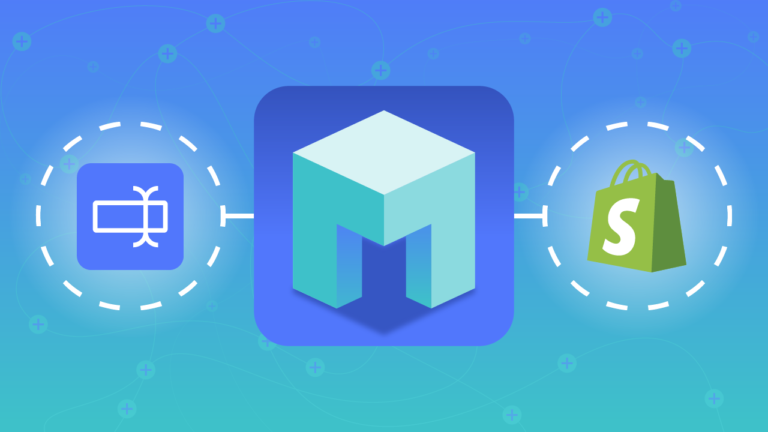
MESA is the most flexible way automate Gorgias to Google Forms. Easily add workflows to simplify your work.
MESA helps you make workflows that keeps your business running. A trigger is the event to start a workflow then, actions are performed.
Starts when a Google Forms submission is received.
ID
Channels
Created Datetime
Data
External ID
Firstname
Integrations
Language
Lastname
Name
Timezone
Updated Datetime
ID
Channels
Created Datetime
Data
External ID
Firstname
Integrations
Language
Lastname
Name
Timezone
Updated Datetime
ID
Assignee User
Channel
Closed Datetime
Created Datetime
Customer
Events
External ID
From Agent
Is Unread
Language
Last Message Datetime
Last Received Message Datetime
Messages
Meta
Opened Datetime
Reply Options
Satisfaction Survey
Snooze Datetime
Spam
Status
Subject
Tags
Trashed Datetime
Updated Datetime
Via
Uri
ID
Assignee User
Channel
Closed Datetime
Created Datetime
Customer
Events
External ID
From Agent
Is Unread
Language
Last Message Datetime
Last Received Message Datetime
Messages
Meta
Opened Datetime
Reply Options
Satisfaction Survey
Snooze Datetime
Spam
Status
Subject
Tags
Trashed Datetime
Updated Datetime
Via
Uri
Channels
Data
External ID
Language
Name
Timezone
Meta
Params
Scheduled Datetime
Type
Body Text
Created Datetime
Customer ID
Meta
Score
Scored Datetime
Sent Datetime
Should Send Datetime
Ticket ID
Decoration
Description
Name
Assignee Team
Assignee User
Channel
Closed Datetime
Created Datetime
Customer
External ID
From Agent
Language
Last Message Datetime
Last Received Message Datetime
Messages
Meta
Opened Datetime
Snooze Datetime
Spam
Status
Subject
Tags
Trashed Datetime
Updated Datetime
Via
Attachments
Body HTML
Body Text
Channel
Created Datetime
External ID
Failed Datetime
From Agent
Message ID
Receiver
Sender
Sent Datetime
Source
Subject
Via
Bio
External ID
Meta
Name
Roles
Remove an existing customer.
Cancel a job at any time but keep in mind that actions that have been executed will not be reverted.
Remove a tag.
Remove a ticket.
Remove a message from a ticket.
Remove an user.
ID
Created Datetime
Data
External ID
Firstname
Language
Lastname
Name
Timezone
Updated Datetime
ID
Context
Created Datetime
Data
Object ID
Object Type
Type
User ID
Uri
ID
Cancel Requested Datetime
Cancelled Datetime
Created Datetime
Ended Datetime
Failed Datetime
Info
Locked Datetime
Meta
Params
Scheduled Datetime
Started Datetime
Status
Type
User ID
Uri
ID
Body Text
Created Datetime
Customer ID
Meta
Score
Scored Datetime
Sent Datetime
Should Send Datetime
Ticket ID
Uri
ID
Created Datetime
Decoration
Deleted Datetime
Description
Name
Usage
Uri
ID
Attachments
Body HTML
Body Text
Channel
Created Datetime
External ID
Failed Datetime
From Agent
Integration ID
Last Sending Error
Message ID
Receiver
Rule ID
Sender
Sent Datetime
Source
Stripped HTML
Stripped Text
Subject
Ticket ID
Via
Uri
ID
Assignee User
Channel
Closed Datetime
Created Datetime
Customer
Excerpt
External ID
From Agent
Integrations
Is Unread
Language
Last Message Datetime
Last Received Message Datetime
Messages Count
Meta
Opened Datetime
Requester
Snooze Datetime
Status
Subject
Tags
Updated Datetime
Via
Uri
ID
Active
Bio
Created Datetime
Deactivated Datetime
External ID
Firstname
Lastname
Meta
Name
Roles
Updated Datetime
ID
Created Datetime
Decoration
Deleted Datetime
Description
Name
Usage
Uri
Created Datetime
Deactivated Datetime
Domain
Settings
Status
ID
Channels
Created Datetime
Data
External ID
Firstname
Integrations
Language
Lastname
Name
Timezone
Updated Datetime
ID
Context
Created Datetime
Data
Object ID
Object Type
Type
User ID
Uri
ID
Cancel Requested Datetime
Cancelled Datetime
Created Datetime
Ended Datetime
Failed Datetime
Info
Locked Datetime
Meta
Params
Scheduled Datetime
Started Datetime
Status
Type
User ID
Uri
ID
Body Text
Created Datetime
Customer ID
Meta
Score
Scored Datetime
Sent Datetime
Should Send Datetime
Ticket ID
Uri
ID
Created Datetime
Decoration
Deleted Datetime
Description
Name
Usage
Uri
ID
Assignee User
Channel
Closed Datetime
Created Datetime
Customer
Events
External ID
From Agent
Is Unread
Language
Last Message Datetime
Last Received Message Datetime
Messages
Meta
Opened Datetime
Reply Options
Satisfaction Survey
Snooze Datetime
Spam
Status
Subject
Tags
Trashed Datetime
Updated Datetime
Via
Uri
ID
Attachments
Body HTML
Body Text
Channel
Created Datetime
External ID
Failed Datetime
From Agent
Integration ID
Last Sending Error
Message ID
Receiver
Rule ID
Sender
Sent Datetime
Source
Stripped HTML
Stripped Text
Subject
Ticket ID
Via
Uri
ID
Active
Bio
Created Datetime
Deactivated Datetime
External ID
Firstname
Lastname
Meta
Name
Roles
Updated Datetime
Channels
Data
External ID
Language
Name
Timezone
Meta
Params
Scheduled Datetime
Status
Body Text
Created Datetime
Customer ID
Meta
Score
Scored Datetime
Sent Datetime
Should Send Datetime
Ticket ID
Decoration
Description
Name
Assignee Team
Assignee User
Channel
Closed Datetime
Customer
External ID
From Agent
Is Unread
Language
Last Message Datetime
Last Received Message Datetime
Meta
Opened Datetime
Snooze Datetime
Spam
Status
Subject
Tags
Trashed Datetime
Updated Datetime
Via
Attachments
Body HTML
Body Text
Channel
External ID
Failed Datetime
From Agent
Message ID
Receiver
Sender
Sent Datetime
Source
Subject
Via
Bio
External ID
Meta
Name
New Password
Old Password
Roles
Size
Name
Content Type
URL
Thousands of professionals trust MESA to help them multiply their impact without multiplying their work.






Gorgias to Google Forms automations get more done in less time. Automate the everyday tasks holding back your potential growth.
Merge emails, chats, and social media messages all into one place. Respond to customers quickly and efficiently, without having to jump between platforms. It's all about seamless communication!
Let Gorgias handle repetitive questions like order status or shipping details. Automate responses and free up your time to focus on more complex customer needs.
When a customer reaches out, Gorgias pulls up their entire purchase history from Shopify. No more searching through records; provide personalized support instantly.
Use Gorgias with your existing marketing and sales tools. Whether it's tracking customer satisfaction or managing returns, everything is in sync and at your fingertips.
Track customer support performance with robust analytics. Understand what your customers need, spot trends, and continuously improve your support to keep your customers happy.
After a purchase, automatically send a Google Form to gather feedback. This provides valuable insights into your customer's experience, helping you refine your products and services.
If you offer customizable products, you can link to a Google Form at checkout. This allows customers to easily input their specific requests, making the process more organized for you.
Use Google Forms to capture pre-orders or add customers to a waitlist for out-of-stock items. This not only gauges interest but also helps you manage inventory more effectively.
If you run webinars, workshops, or in-store events, Google Forms can handle your registration process. Link it to specific products or use QR codes in your physical store to drive sign-ups.
B2B customers can fill out a Google Form linked from your wholesale page. This centralizes all your inquiries and allows for a streamlined review and approval process.

MESA makes automation achievable so you can multiply your impact without multiplying the work.
Try MESA for free 7-day trial included. Cancel anytime.MESA helps you connect two or more apps to handle repetitive tasks automatically, no code necessary.
Select a trigger that sets your workflow in motion.
This could be anything from a new order in your Shopify store to a customer signing up for your newsletter.
Triggers are the starting points that tell MESA when to act.


Next, choose the action that should follow the trigger.
Actions are the tasks that MESA will perform automatically, such as sending a confirmation email or updating your product inventory.
Linking actions to triggers is how you build a seamless workflow process.

Make your workflow even more flexible using built-in apps.
Customize your automation with tools that match your specific needs, whether it's scheduling theme changes or syncing with your CRM.
Personalization ensures your workflows fit your unique business requirements.

Finally, enable your workflow. You've just automated a task that will save you time and reduce manual effort.
With MESA, complex processes become simple, freeing you up to focus on what matters most—growing your business.


Get help from our team of experts and industry partners, who are dedicated to ensuring your MESA experience is smooth, efficient, and tailored to your exact business needs.