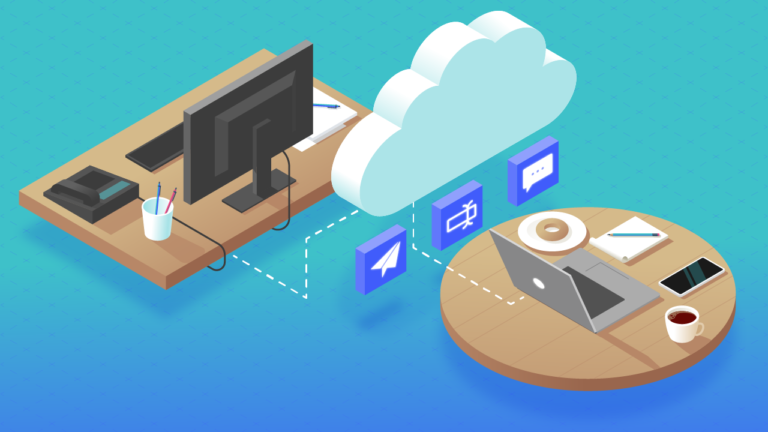
Start with a trigger
Select a trigger that sets your workflow in motion.
This could be anything from a new order in your Shopify store to a customer signing up for your newsletter.
Triggers are the starting points that tell MESA when to act.


MESA is the most flexible way automate Dropbox to Slack. Easily add workflows to simplify your work.
MESA helps you make workflows that keeps your business running. A trigger is the event to start a workflow then, actions are performed.
Type
Channel
User
Is Moved
Event Ts
ID
Name
Is Channel
Is Group
Is Im
Is Mpim
Is Private
Created
Is Archived
Is General
Unlinked
Name Normalized
Is Shared
Is Org Shared
Is Pending Ext Shared
Pending Shared
Context Team ID
Updated
Parent Conversation
Creator
Is Ext Shared
Shared Team Ids
Pending Connected Team Ids
Is Member
Last Read
Topic
Purpose
Previous Names
Priority
Success
Type
Channel
Actor ID
Event Ts
Type
Channel
Type
User
Text
Ts
Type
User
Text
Ts
Subtype
User
Text
Type
Ts
Channel
Event Ts
Channel Type
Success
Data
Success
Data
Name
Is Private
Text
Timestamp
Team ID
User
Channel
Ts
Success
ID
Team ID
Name
Deleted
Color
Real Name
Tz
Tz Label
Tz Offset
Profile
Is Admin
Is Owner
Is Primary Owner
Is Restricted
Is Ultra Restricted
Is Bot
Updated
Is App User
Has 2fa
ID
Name
Is Channel
Is Group
Is Im
Created
Creator
Is Archived
Is General
Unlinked
Name Normalized
Is Shared
Is Ext Shared
Is Org Shared
Pending Shared
Is Pending Ext Shared
Is Member
Is Private
Is Mpim
Updated
Topic
Purpose
Previous Names
Num Members
0
ID
Team ID
Name
Deleted
Color
Real Name
Tz
Tz Label
Tz Offset
Profile
Is Admin
Is Owner
Is Primary Owner
Is Restricted
Is Ultra Restricted
Is Bot
Updated
Is App User
Has 2fa
ID
Name
Is Channel
Is Group
Is Im
Created
Creator
Is Archived
Is General
Unlinked
Name Normalized
Is Read Only
Is Shared
Is Ext Shared
Is Org Shared
Pending Shared
Is Pending Ext Shared
Is Member
Is Private
Is Mpim
Last Read
Topic
Purpose
Previous Names
Success
Data
Channel
Ts
Success
ID
Name
Is Channel
Is Group
Is Im
Is Mpim
Is Private
Created
Is Archived
Is General
Unlinked
Name Normalized
Is Shared
Is Frozen
Is Org Shared
Is Pending Ext Shared
Pending Shared
Parent Conversation
Creator
Is Ext Shared
Shared Team Ids
Pending Connected Team Ids
Is Member
Last Read
Latest
Unread Count
Unread Count Display
Topic
Purpose
Previous Names
Channel
Message
Timestamp
Upload a file to Dropbox.
Thousands of professionals trust MESA to help them multiply their impact without multiplying their work.






Dropbox to Slack automations get more done in less time. Automate the everyday tasks holding back your potential growth.
Say goodbye to messy folders! With Dropbox, you can automatically save all your Shopify invoices in one secure location. Access them anytime, anywhere, and keep your accounting streamlined and hassle-free.
Keep your product images neatly organized in Dropbox. Easily update or change them in your Shopify store. It's a time-saver that ensures your online catalog stays fresh and visually appealing.
Working with a team? Share product descriptions, marketing plans, or any store-related documents through Dropbox. Collaborate in real-time and keep everyone on the same page, literally!
Never worry about losing vital store information. From customer details to sales records, Dropbox provides an automatic backup for all your critical Shopify data. It's peace of mind at its best.
Dropbox's flexibility allows for easy integration with various tools you might be using. It's a hub that connects your workflow, keeping it smooth and efficient.
Set up notifications in Slack to alert you and your team as soon as a new order comes in. Whether it's a large purchase, an order from a repeat customer, or simply all incoming orders, you can customize these alerts. This helps you act quickly, ensuring prompt fulfillment and boosting customer satisfaction.
Slack channels can be linked to customer inquiries, ensuring that your support team is instantly aware of new questions or issues. By centralizing communication, your team can provide more timely and coordinated responses that resolve issues effectively.
Integrating Slack with Shopify enables real-time inventory updates. You can set up custom alerts for low-stock products, ensuring that you never run out of best-sellers. This integration keeps your sales, warehouse, and purchasing teams all on the same page, leading to a smoother restocking process.
Share daily, weekly, or monthly sales reports directly to a dedicated Slack channel. Whether it's a summary of top-selling products, conversion rates, or ad campaign performance, these insights can be made accessible to your entire team to encourage data-driven decision-making across the business.
Create dedicated channels for specific projects, such as new product launches or website redesigns. These channels can include relevant staff from various departments and even external collaborators like designers or copywriters which ensures that everyone stays aligned.

MESA makes automation achievable so you can multiply your impact without multiplying the work.
Try MESA for free 7-day trial included. Cancel anytime.MESA helps you connect two or more apps to handle repetitive tasks automatically, no code necessary.
Select a trigger that sets your workflow in motion.
This could be anything from a new order in your Shopify store to a customer signing up for your newsletter.
Triggers are the starting points that tell MESA when to act.


Next, choose the action that should follow the trigger.
Actions are the tasks that MESA will perform automatically, such as sending a confirmation email or updating your product inventory.
Linking actions to triggers is how you build a seamless workflow process.

Make your workflow even more flexible using built-in apps.
Customize your automation with tools that match your specific needs, whether it's scheduling theme changes or syncing with your CRM.
Personalization ensures your workflows fit your unique business requirements.

Finally, enable your workflow. You've just automated a task that will save you time and reduce manual effort.
With MESA, complex processes become simple, freeing you up to focus on what matters most—growing your business.


Get help from our team of experts and industry partners, who are dedicated to ensuring your MESA experience is smooth, efficient, and tailored to your exact business needs.